
Business Systems
Sales Management System
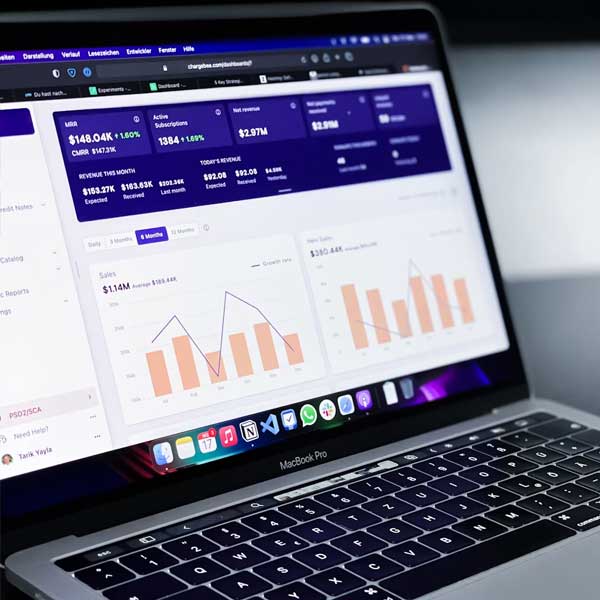
A full-featured management system designed to control your business flow from godown to shop, shop to customer, and even back from customer to shop or vendors when required. Sales Management Systems focus on the practical application of sales techniques and the structured management of business operations, helping companies improve control, reporting, and revenue performance.
Core Modules
Sales Management System Features
Built to manage inventory flow, customer sales, service operations, reporting, and user permissions in one centralized system.
Leads
Track enquiries, prospects, follow-ups, and customer interest from one dashboard.
Sales
Manage quotations, orders, invoices, payments, and sales pipeline records.
Stock
Keep product, inventory, pricing, purchase, and supplier data organized.
Reports
Review performance, daily activity, customer history, and business summaries.
Complete sales workflow coverage
Dashboard
Features- Check Product
- Check Price
- GoDown Panel
- Shop Panel
- Shop Service Panel
- Short Reports
- Widgets
- Logout
Godown Panel
Features- Add Product
- Add Category
- Add Brand
- Add Vendor
- Add Bank
- Add Barcode
- Add Fixed Products
- Add Purchase Invoice
- Add Shop Invoice
- View Products
- View Vendors
- View Fixed Products
- View Purchase Invoices
- View Shop Invoices
- Pending Cheque
- Cleared Cheque
Shop Sale Panel
Features- Add Customer
- Add Sale Invoice
- Add Shop Fixed Products
- View Shop Products
- View Customers
- View Customers Ledger
- View Sale Invoices
- View Sale Invoices Ledger
- View Sales Report
- View Fixed Products
Shop Service Panel
Features- Add Fault
- Add Services Receipt
- Check Service Receipt
- Confirm Service Receipt
- Service Receipt Process
- Add Service Invoice
- Add Service Invoices Payment
- View Pending Service Invoices
- View Service Invoices
Setting Panel
Features- Add User
- View Prints
- View Login Activity
Why It Works
Intuitive & Smart
Handle and manage all your data and records in an easy, intelligent, and structured way.
Easy to Use
Easy to use through keyboard, touch screen, and other input devices with minimal input and maximum output.
Generate Barcode
Generate barcodes for new entries and also support barcode devices for faster product and inventory handling.
Data Security
Keep track of all user activity, data flow, and status visibility for administrators.
Fast Product Search
Find products quickly by name, category, brand, barcode, or current stock status.
Invoice Control
Create and review purchase, shop, sale, and service invoices with clear record history.
Daily Reports
View short summaries for stock movement, sales activity, payments, and service updates.

Admin/User Level
Set different levels of access and privileges for users to control who can view or manage each module.
Extra Modules
Manage product warranty and service records alongside sale operations and godown records.
Responsive for All
A responsive web application accessible from anywhere and on any device, including handheld devices.
Vendor Tracking
Manage vendor records, purchase entries, cheque status, and supplier-related business activity.
Customer Ledger
Keep customer records, sales history, payment activity, and outstanding balances organized.
Service Workflow
Track faults, receipts, service processing, pending invoices, and completed service records.
Sales Management System FAQs
Answers to common questions about sales management, inventory, godown, shop, invoices, ledgers, access control, and customization.
What does the sales management system manage? ›
Can it support both godown and shop operations? ›
Does the system include customer and vendor ledgers? ›
Can user access and privileges be controlled? ›
Is the sales management system responsive? ›
Can the system be customized for my business process? ›
Want to See It Live in Action?
Book Your Online Demo Right Now.
We recommend seeing the system in action first. Explore how it handles sales, stock, service, and records management before moving forward. Our goal is to make your business easier to operate and easier to scale.